Cammus C5 FFB and Connection Issues in Forza Horizon 6 - Official Support Needed

Hi everyone,

As you know, Forza Horizon 6 is finally out, but unfortunately, Cammus C5 users are currently being left out in the cold. Despite the game’s launch, we still haven’t received a proper Force Feedback (FFB) update or official wheel mapping support for the Cammus C5.

Currently, I am experiencing two major issues that make the game completely unplayable on this setup:

  1. Connection / Recognition Issues: The game either fails to recognize the wheel entirely or constantly disconnects during gameplay, requiring a system or game restart.

  2. Zero Force Feedback: Even when the wheel briefly connects, there is absolutely no FFB. The steering feels completely dead, centered, or heavily clipped without transmitting any road detail, slip, or weight transfer.

Given that the Cammus C5 is a highly popular and budget-friendly Direct Drive option in the sim racing community, it’s incredibly disappointing to see a lack of day-one (or even post-launch) support from the developers.

Has anyone found a temporary workaround (like vJoy, EmuWheel, or specific telemetry settings) to get the FFB working properly? Also, if anyone from the support or dev team is reading this, please look into adding native API support for Cammus devices as soon as possible.

Thanks in advance for any help or workarounds!

1 Like

Hey, thanks for the feedback. We are arranging additional testing for FH6 recently. If compatibility is confirmed, we’ll update the desktop software and share the news with everyone asap.
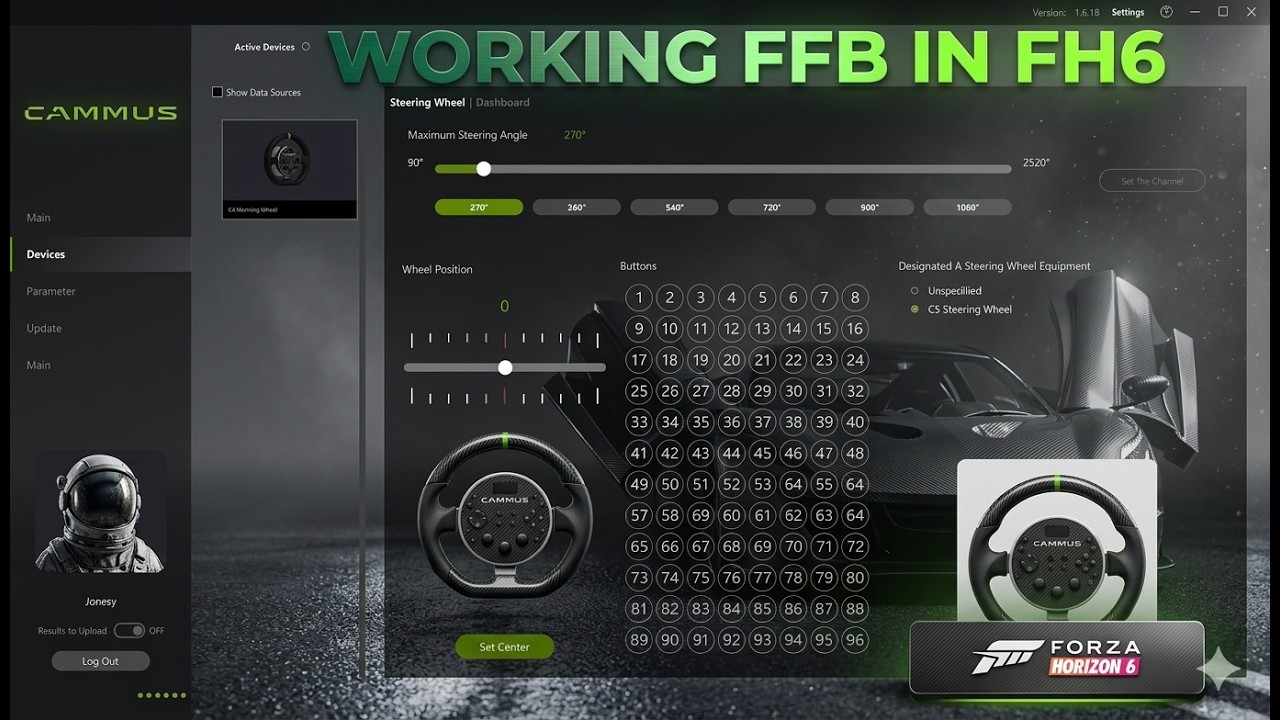
In the meantime, one of our users has shared their C5 FFB settings for FH6 here for reference:

Even though I followed all the steps in the video, the FFB is still not working properly. Could I get some information on when the update will be released?

Do you have FH5 installed and are you usiong the FH5 helper app in Cammus desktop software mate?

MM

Forza Horizon 5 isn’t even installed on my system, so I don’t see why I should go through all this trouble just because an update hasn’t been released. I honestly don’t think it would be that difficult for Cammus to implement it.

1 Like

i can help with this after another community member helped me, however, Im still diagnosing a stutter issue thats only started happening after i used the FH5 helper so use at your own risk…..

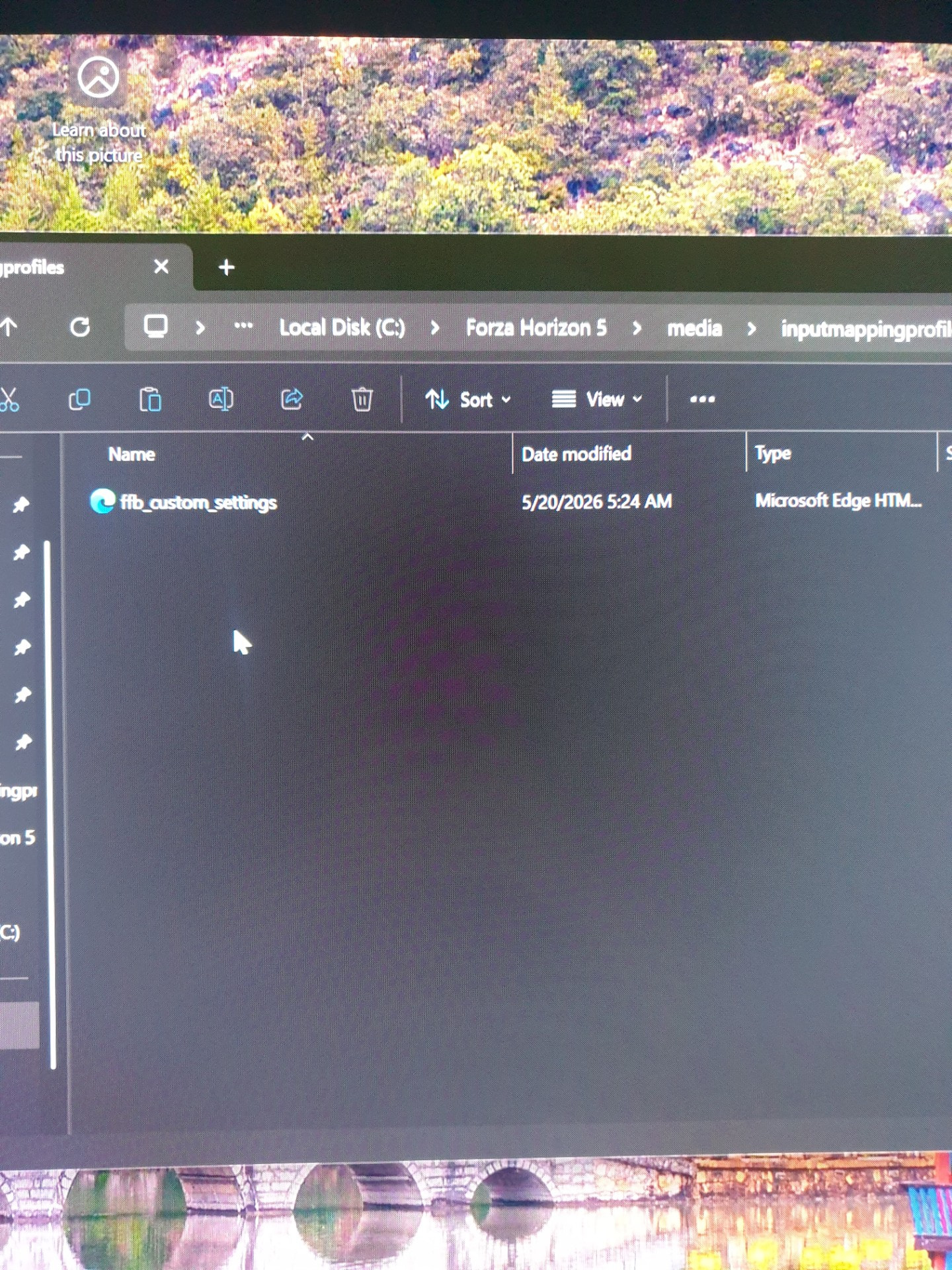
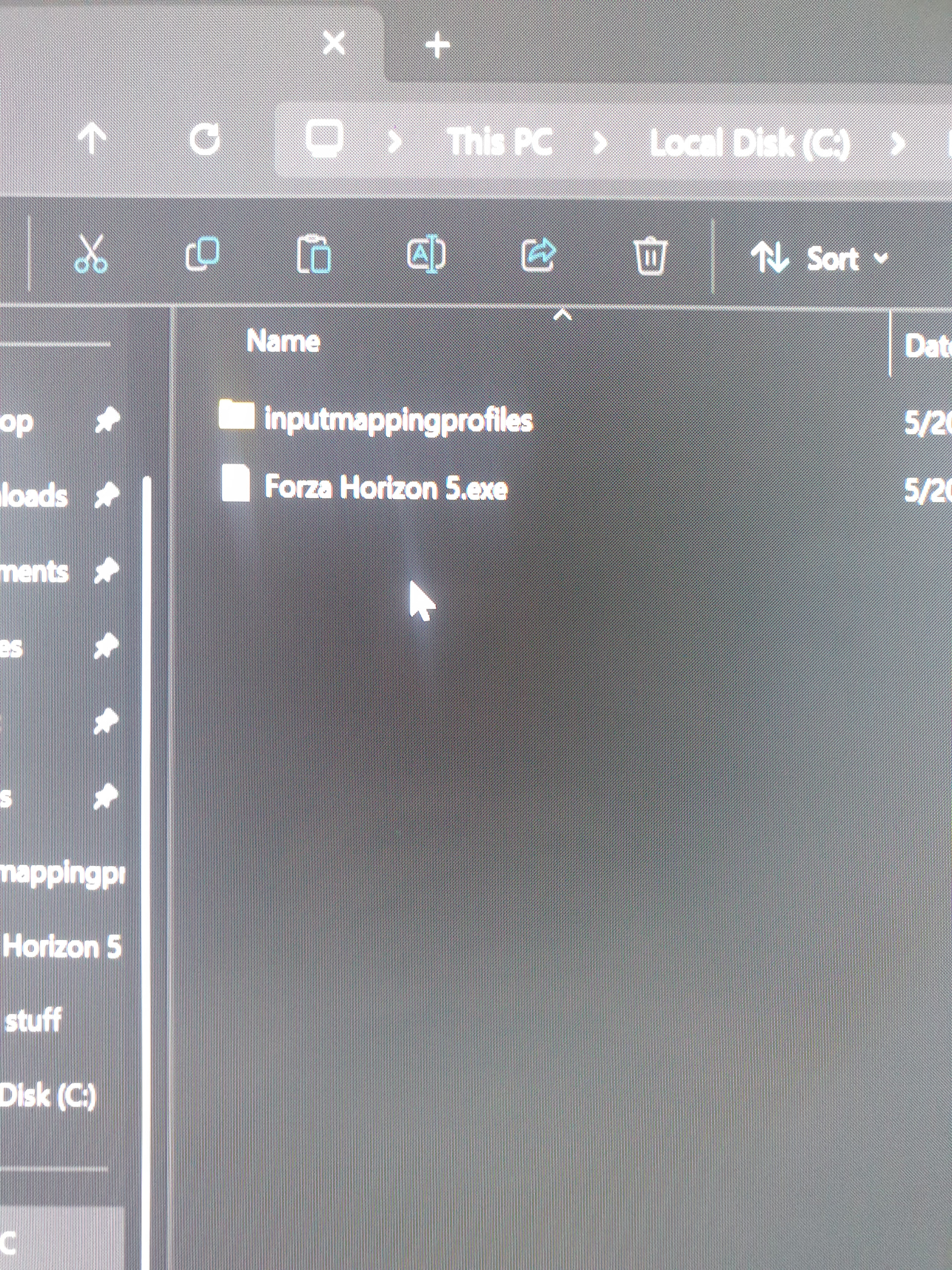
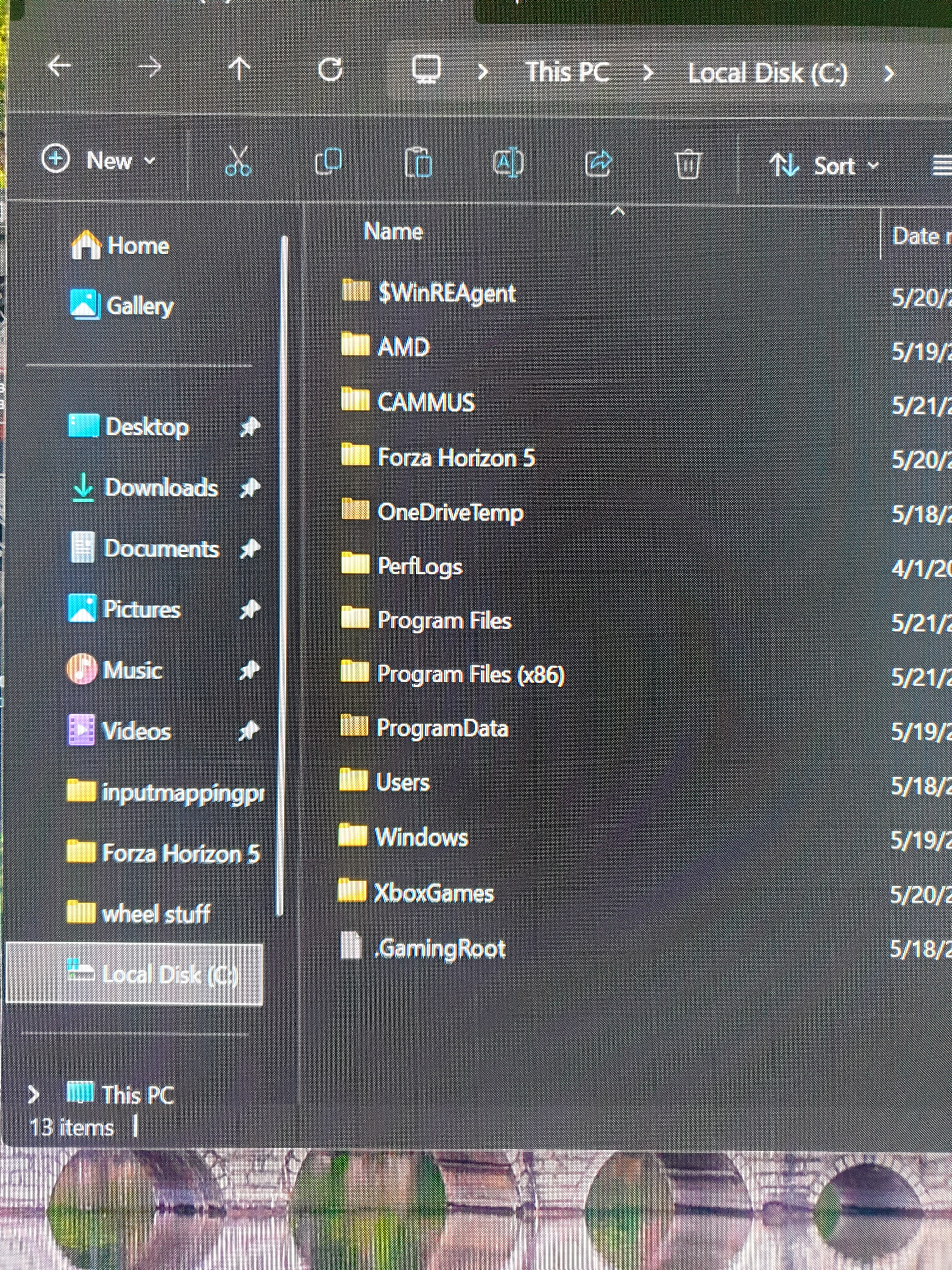
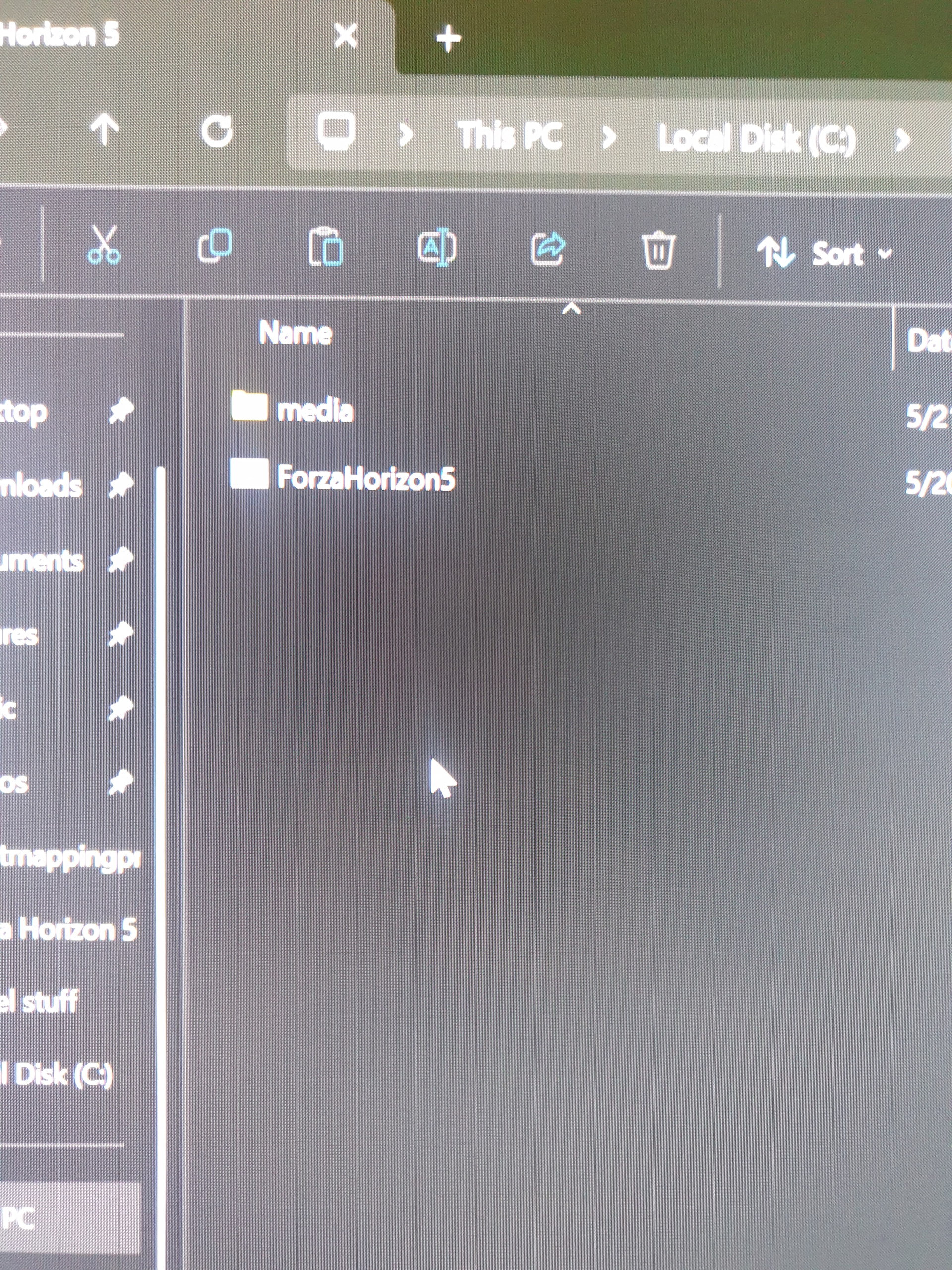
Right, step by step, pics are attached to see what it should look like. there is an error in one of the pics that shows a file called ‘Forza Horizon 5.exe’ this is incorrect, dont create this, just ignore, id done it wrong to begin with :wink:

Create a folder on your C drive and call it ‘Forza Horizon 5’

go into folder and create a file called ‘media’

whilst still in the main FH5 folder create a new txt document and call it ‘ForzaHorizon5’ now go into said said txt document, type 1 letter, then go to save as option, a box will open with your file name, below that is file type which will be defauilt .txt, change this to all files, now remove the .txt from the end of the txt document name so it just reads ‘ForzaHorizon5’.exe’ and save

now go into media folder and create a new file called ‘Inputmappingprofiles’ and save.

next go into that file and create a new txt document, go into the txt file, again type 1 letter, go to save as, change the file type to ‘all files’ and save the name as ‘FFB_custom_settings.XML’

thats all the files created.

next step, go into cammus desktop app, find FH5 in the games list, hit the lil file icon in the thumbnail and point it at the new FH5 folder, go into it and select ‘ForzaHorizon5.exe’ and save.

next step you dont have to do but it may help. unplug wheel from USB and any other controllers/pedals/shifter/handbrake/controller, restart the PC, plug the wheel into a different USB that its never been in, open the cammus app, go to settings at the top and enable FH5 helper, make sure wheel is set to 2 in 1 mode and invert FFB either vai app or in game.

start the game, go to drive. now go to options, plug in any other controllers, and go to input mapping. do ya magic and then test drive……

now, since doinmg this iv had horendous stutters and frame pacing in tokyo mainly but not limited to, im still figuring out if its a cammus issue or a game/GPU issue but it wasnt present when i didnt have FFB and was just using natural friction to mimic wheel weight, im sure its something to do with the cammus FH5 helper as the fps drop 20% from just turning the steering wheel….. BUT this could be due to heavy RT in the area and moving the wheels is causing RT calculations that are tanking performance(on a 5090… yeah) i dont think its this but it ‘could’ be.

to make FPS more stable with less drops, once in game, go to desk top, hover mouse over empty space in the task bar at the bottom, select Task manager, right click on cammus app in task manager, go to details, right click on cammus app in details and select set priority, set it to high. I had less frame drops doing this but its far from perfect.

Massive shout out to Deathking on cammus discord server for helping me with this, he earned a nioce shiney new copy of EVO for helping me out :slight_smile:

let us know how you get on mate

MM
1 Like

@cammusracing @mickeeiemouse Thank you for the workaround, but I prefer not to use it because of the performance hit. I’m really hoping Cammus drops an official update soon. It’s been a week since the game launched, which is definitely not a short amount of time to wait for a fix.

im still unsure if cammus app is causing the issue, i think theres multiple issues with FH6 causing performance problems and its much worse online. be nice for official support but we as users may need to start messaging playground games and get support added as were dead in the water otherwise.

MM

You can upvote Cammus support in the Forza support tickets

1 Like

It’s a joke that Cammus still hasn’t updated for FFB support after a week since release

Seriously, it feels like a joke at this point. The game has been out for a whole week, and I still can’t use my wheel setup. I am genuinely surprised and disappointed that a major company like Cammus has failed to deliver this update yet.

I really hope the expected update drops as soon as possible so that I and other fellow Cammus users can finally enjoy proper FFB. @cammusracing

1 Like

theres a beta cammus app with the FH6 helper but its murdering CPU usage on one of the thread causing massive FPS drops…. use at your own risk….

MM

The game has been out for 8 days now and the fact that it’s still in beta is ridiculous. We’ve waited long enough, it needs to drop now. @cammusracing

Can i get a link to this beta software? I have been searching online for a bit

1 Like

https://www.reddit.com/r/CAMMUS/comments/1tkgrfk/new_software_for_cammus_regarding_forza_horizon_6/ link is in there mate :wink:

MM

1 Like

why should i do something thats gonna lower my fps

Hello @cammusracing, I recently downloaded the latest version of the Cammus software so I could play FH6, but the lack of FFB is still an issue. I’ve tried switching the wheelbase to 2-in-1, making various adjustments, and restarting both the computer and the software, but it still doesn’t work.

Am I the only one experiencing this ? I’m very frustrated that I still haven’t been able to enjoy the game, which came out almost a month ago.

Please fix the compatibility issues as soon as possible.

2 Likes

So are you @cammusracing telling me that I just bought a wheel I can’t even play with?
Can we at least get an update? Its been almost a month, what’s going on?

i got forza to respond and feedback… i guess lol. it still is trashing my frames though, even if it is the games fault its still so annoying.some people arent even able to get it to work. i have no clue why it works for me but i hope it works good enough for some, with strong enough rig ofc…

Hi,
Thank you for your feedback. We’ve forwarded the issue to our technical team for investigation.

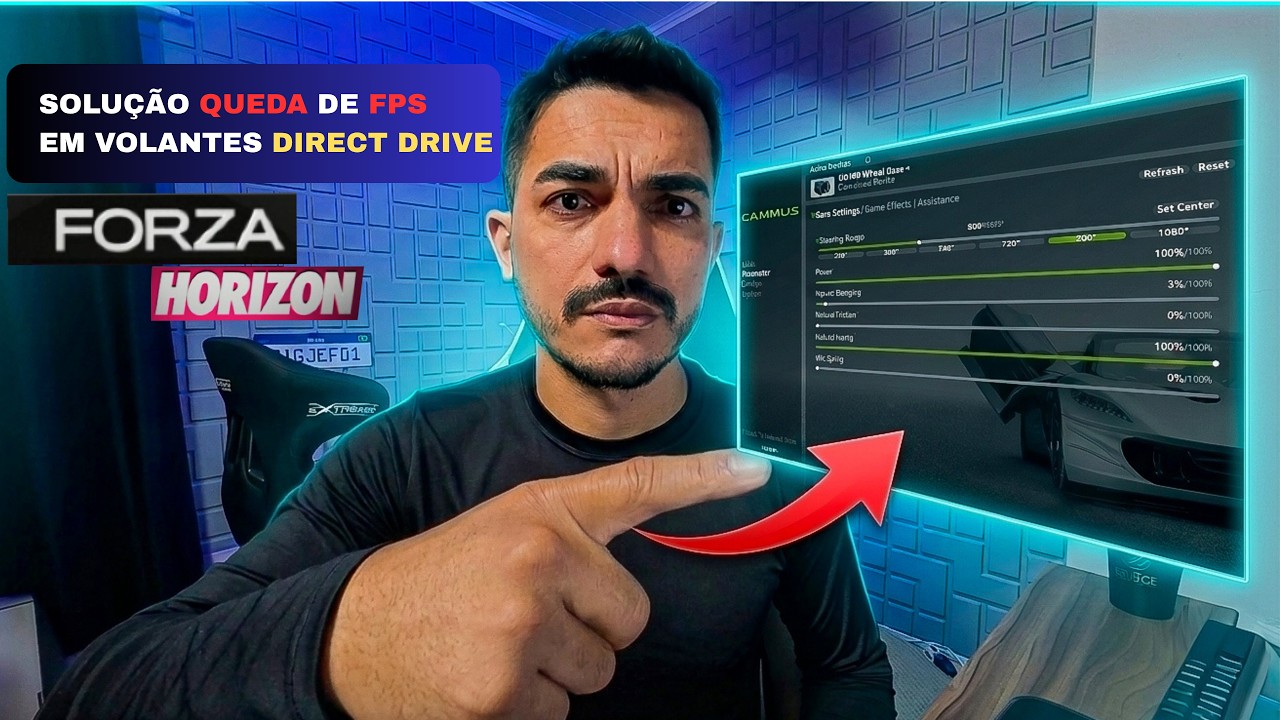
Regarding the FPS drop issue, YouTuber BigJef01 shared a possible solution:

Forum user mickeeiemouse also suggested another a possible solution:

We hope these suggestions help while we continue working on improvements.