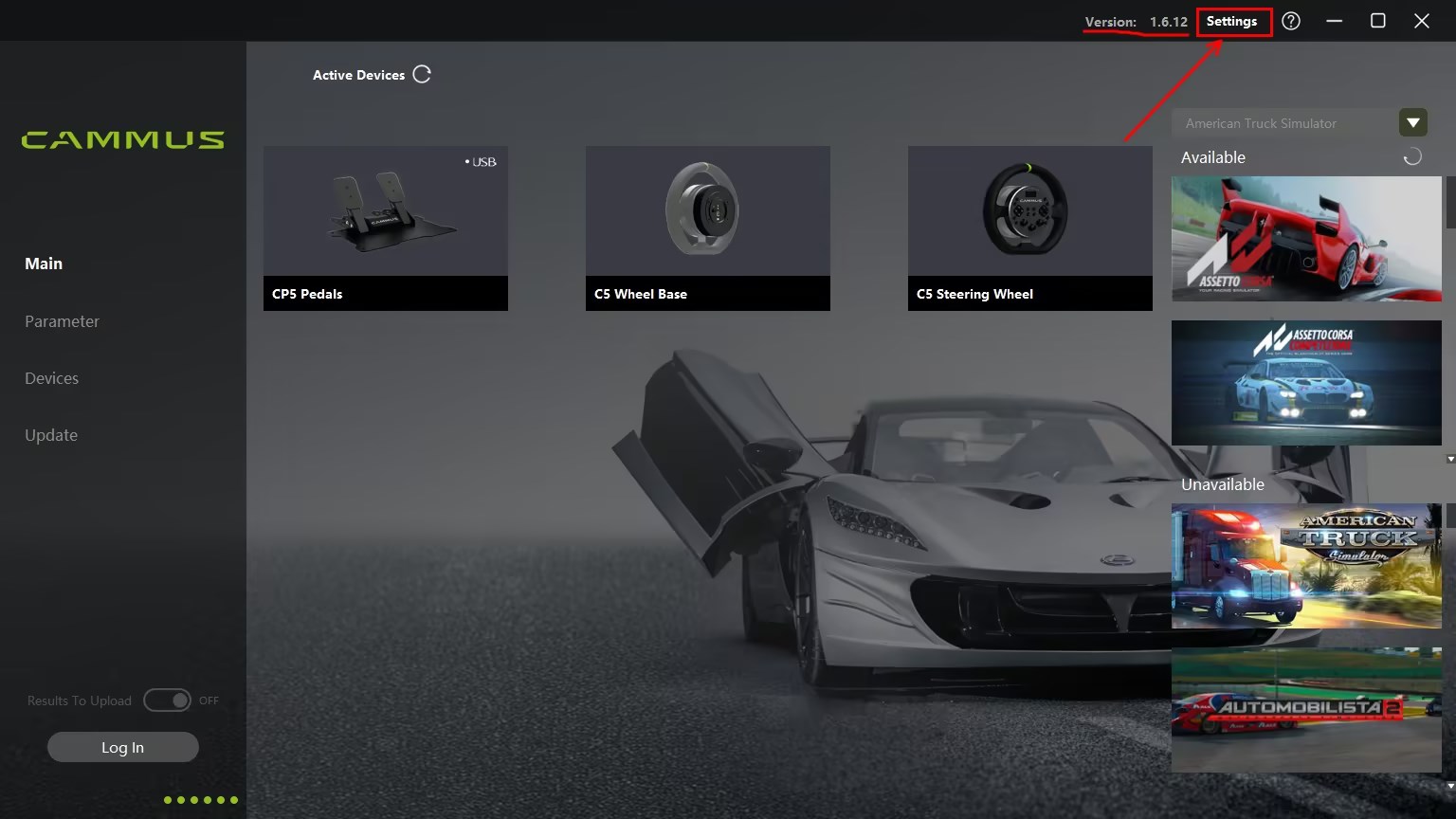
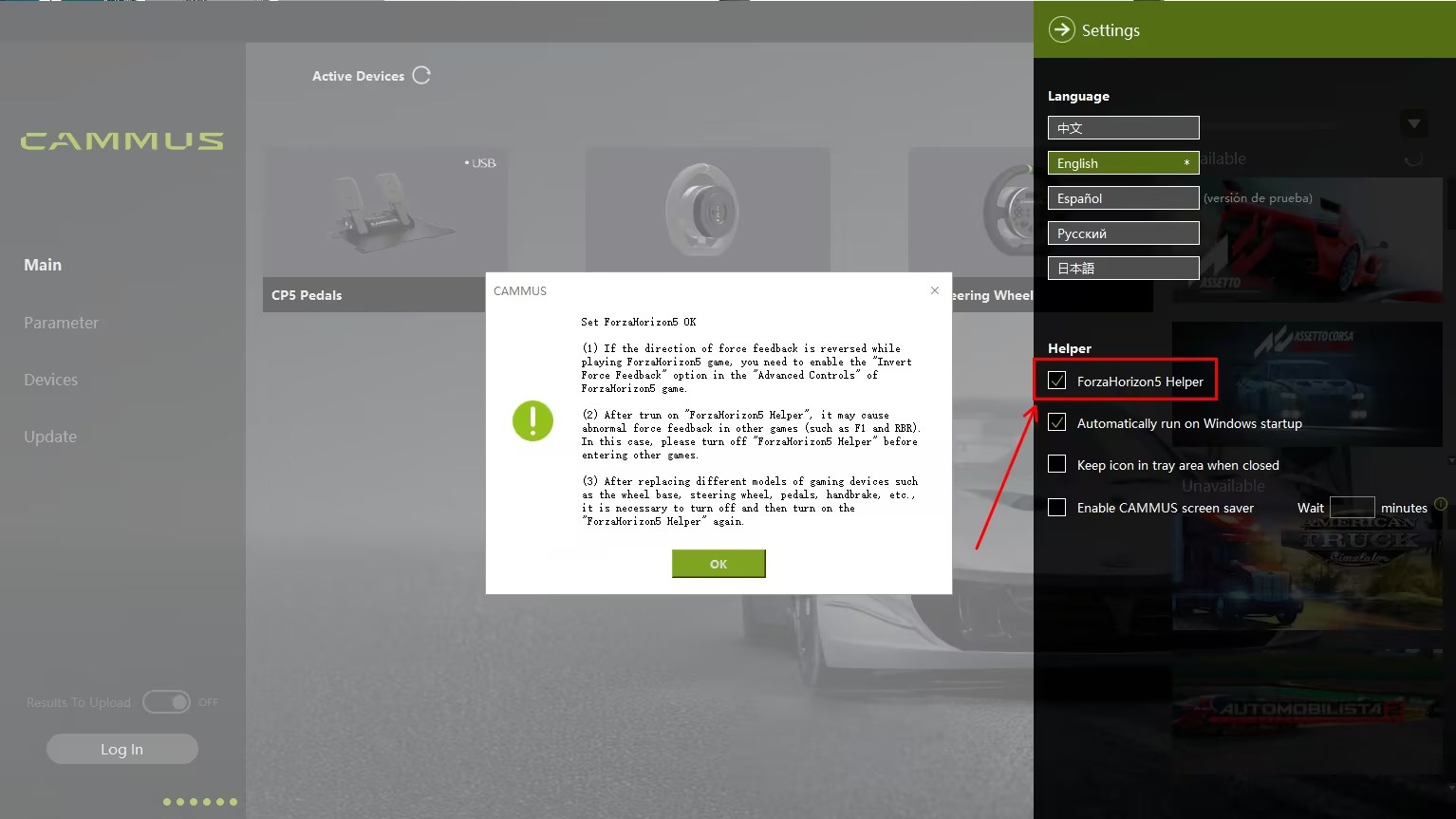
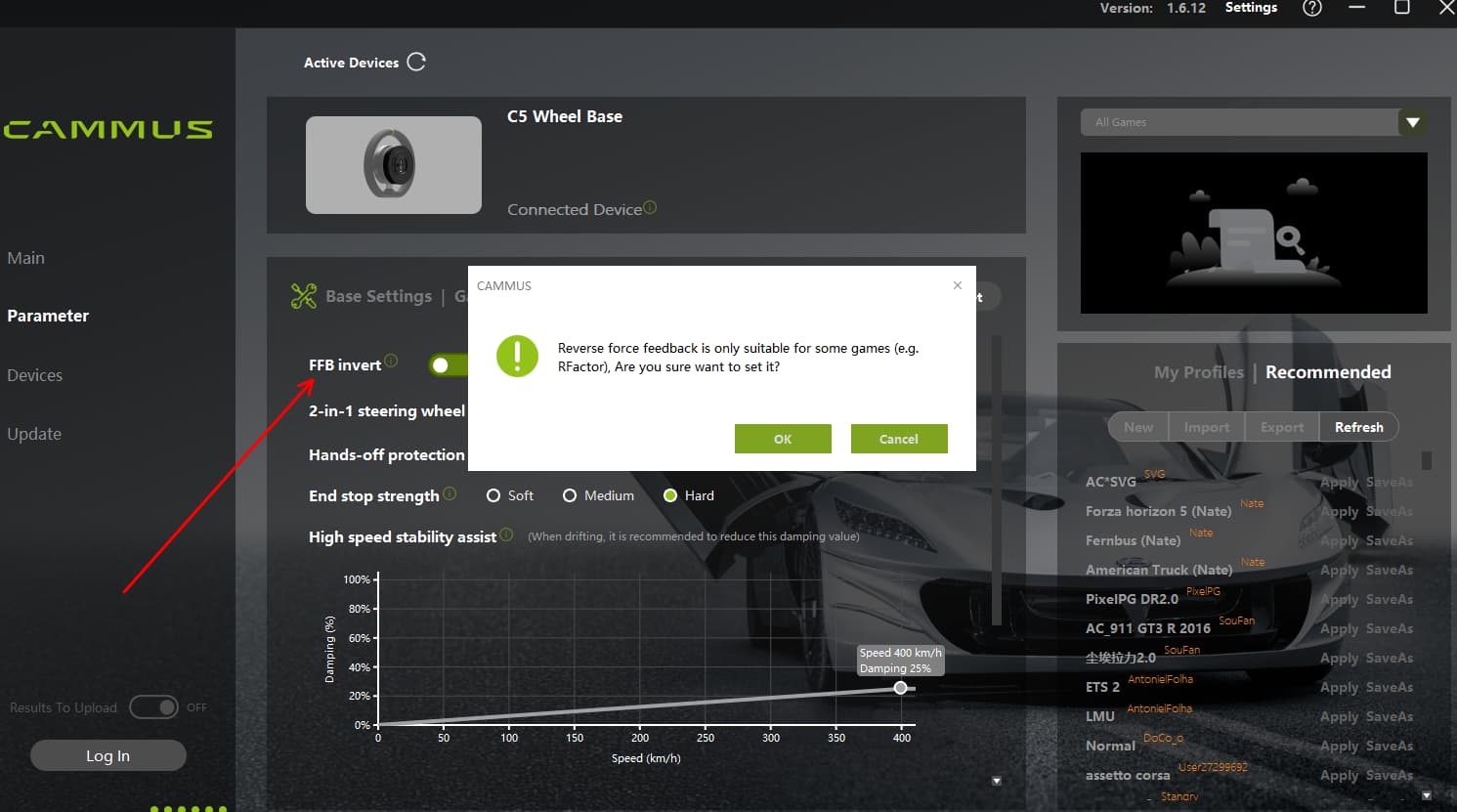
2-Open Horizon 5 in Steam or Microsoft Store and enter the game.
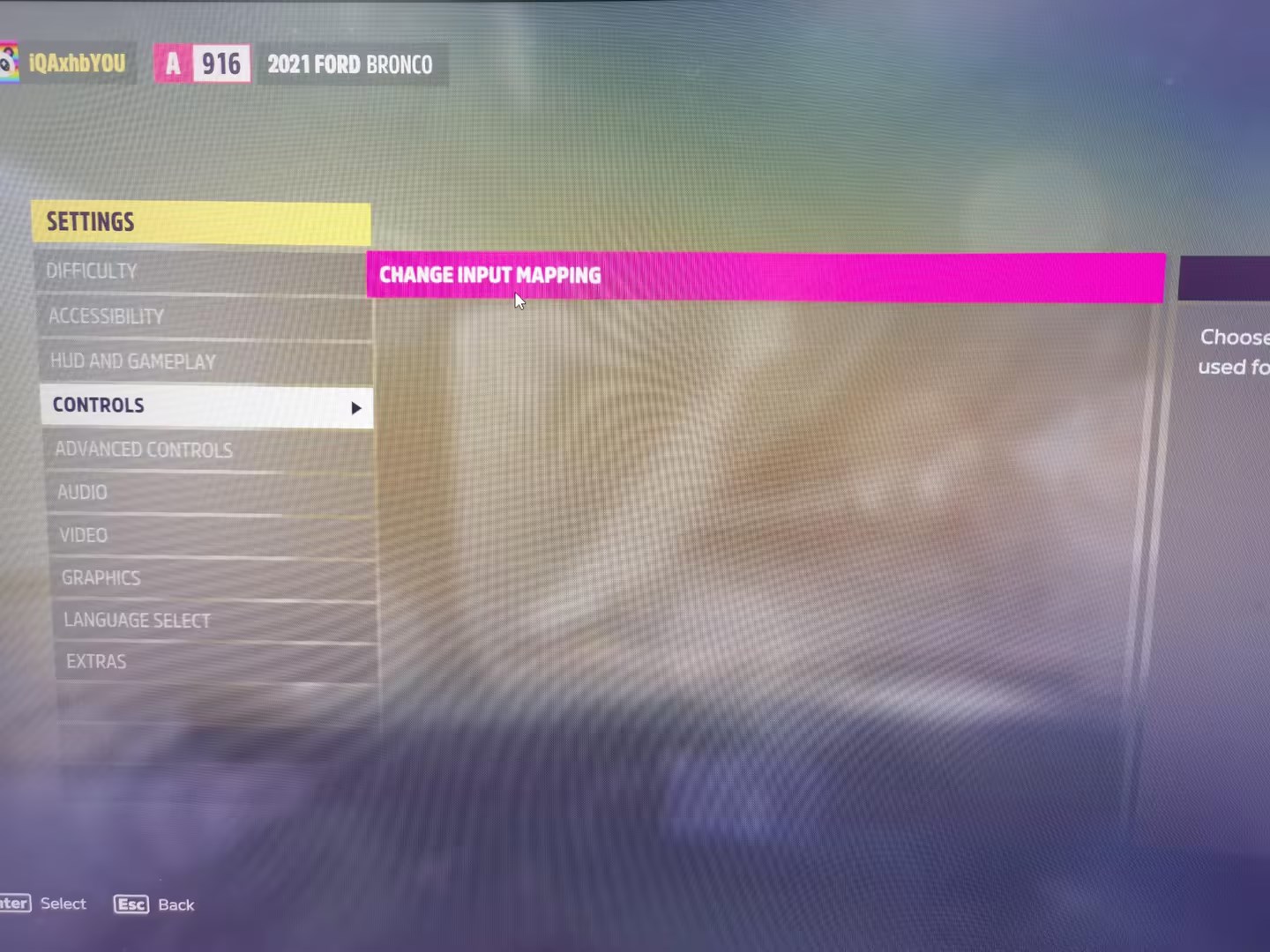
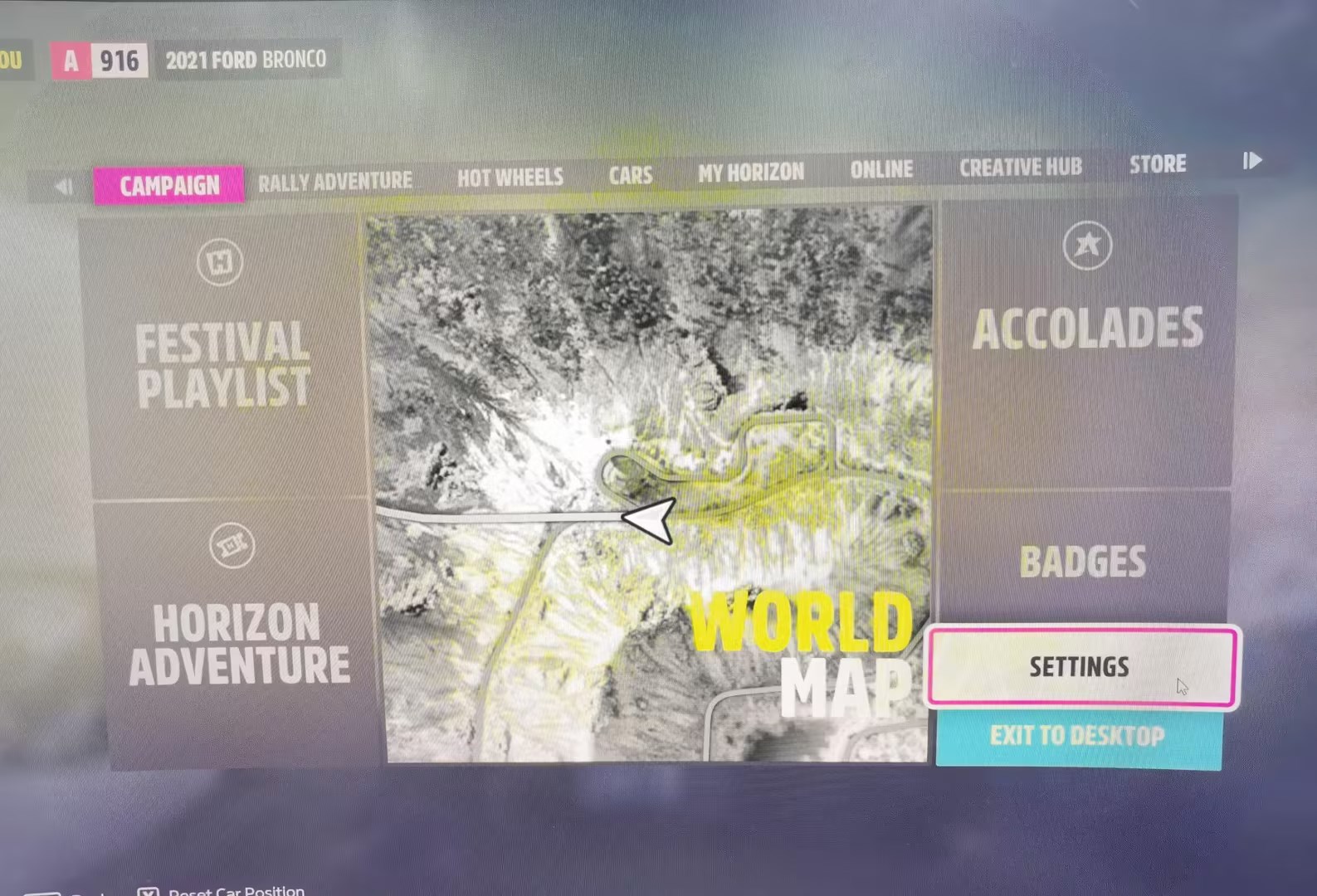
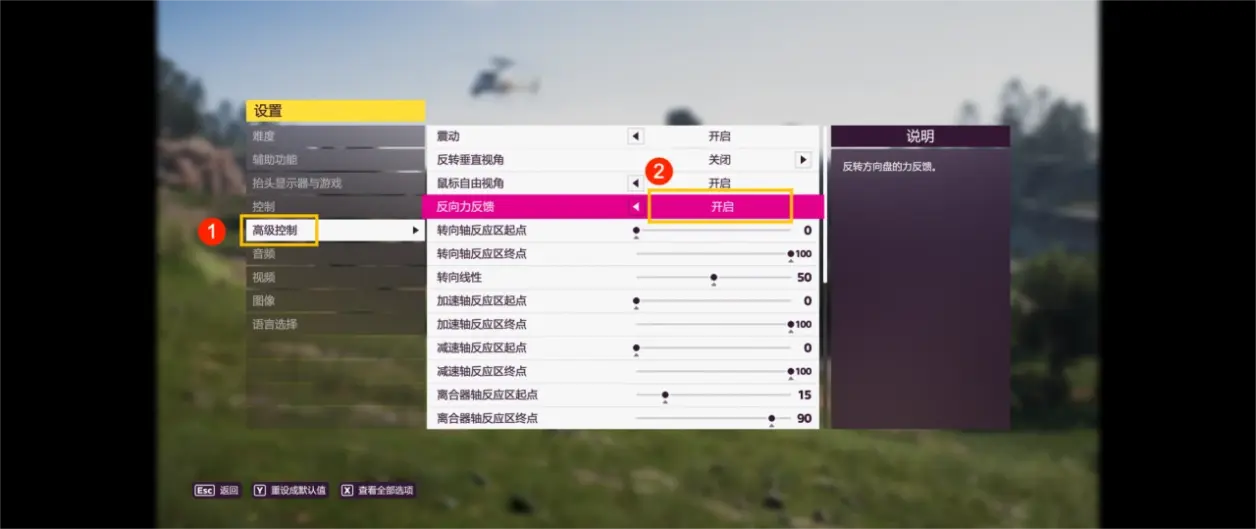
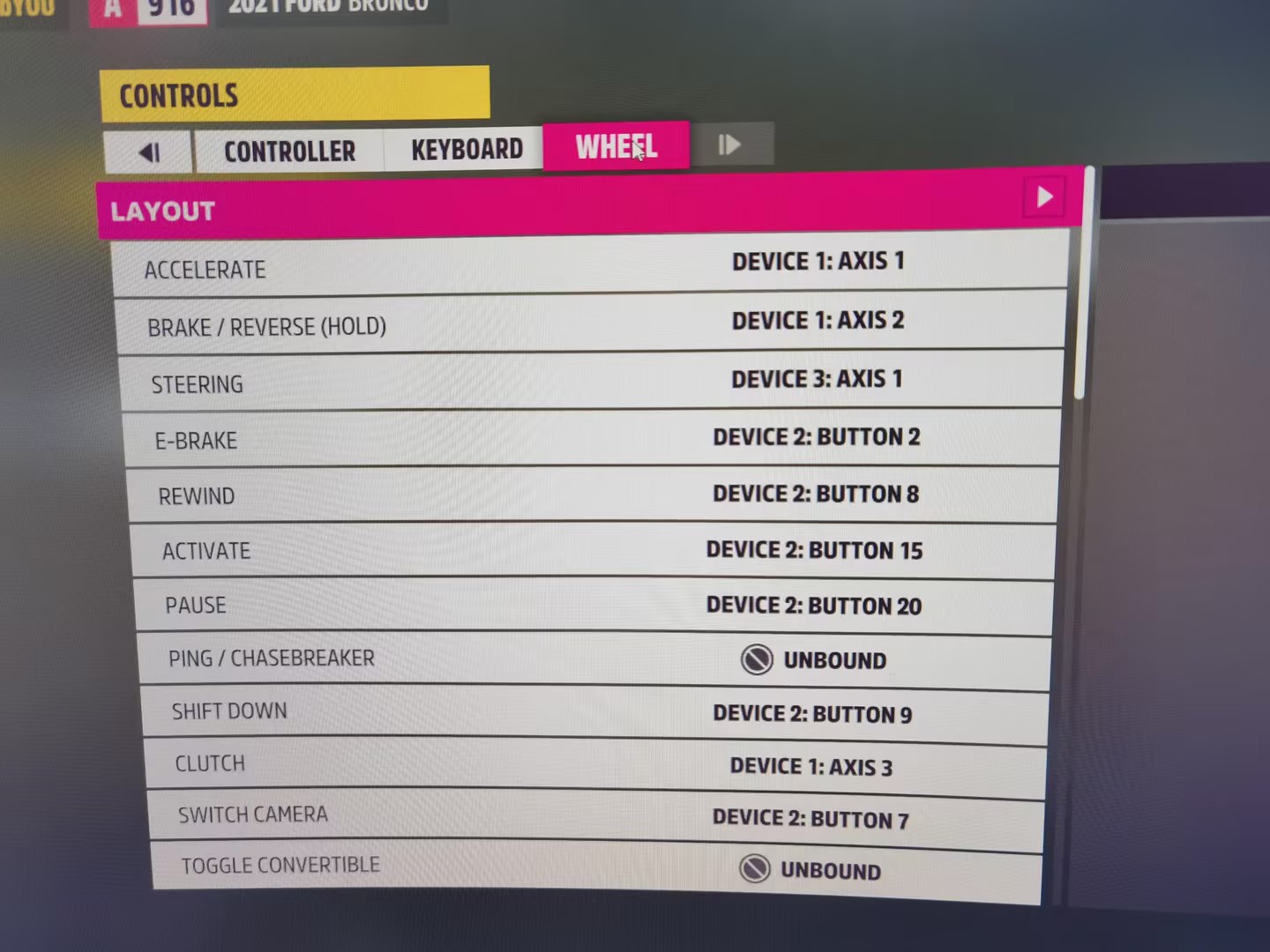
3-Import the CAMMUS C5 device in the settings. Choose “Settings” - “Controls” - “Change Input Mapping” - “Steering Wheel” -Set various parameters according to your needs.
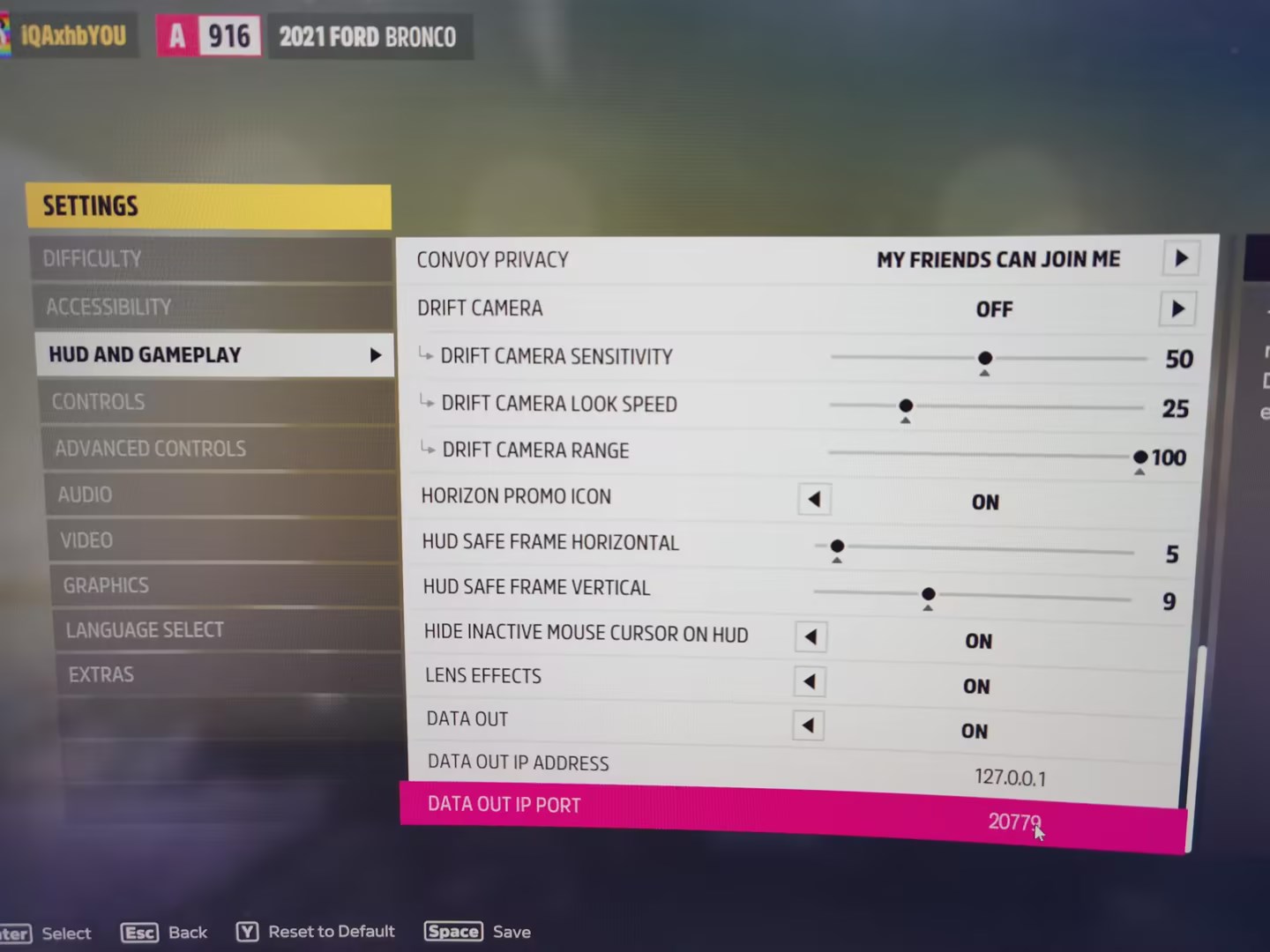
5-“Settings” - “Head-up Display and Games” - turn on “Data Output” ; Set “Data Output IP Address” to 127.0.0.1 and “Data Output IP Port” to 20779.
The above is a tutorial of several key points that players should pay attention to.
Horizon 5 is one of the top racing games that is deeply loved by players. As gamers, we not only pursue a high-quality gaming experience, but also want to enjoy the real fun of racing driving. CAMMUS C5 just fills this gap.
The 5NM direct drive simulator meets the gaming needs of most players, and also has the advantages of being lightweight and easy to disassemble and assemble. If you don’t have a racing simulator yet, then CAMMUS C5 is definitely your best choice for an entry-level simulator.
For more game settings and product experience, please feel free to discuss in the comments. We look forward to pursuing the high-quality gaming experience with you in CAMMUS C5 and enjoying the most realistic racing and driving fun.
#1) I never got a QR code for my GT1 wheel, so my “active devices” in my app reflect on the MAIN page / DDWB2021 wheel base and GT1/GTS STEERING WHEEL. On the PARAMETER page / DDWB2021 wheel base only. On the DEVICES PAGE / GT1/ GTS, but then it says “Designated A steering Wheel Equipment”, (choose) " * unspecified" or “* DDWB2021 Wheel base.” ( I need to know how to get info onto my dashboard for C1, and C5 wheels.)
#2) IN MY SETTINGS, I CAN TICK THE FIRST option, " FH5 Helper, it gives me an error code “failed to set FFB file”. I tick “ok” and the box unchecks. I try to launch the game, but now it crashes
Hi, thanks for the feedback. We need to confirm the following details:
Is your game downloaded through Steam?
We develop compatibility of devices only for games on Steam.
If you downloaded FH 5 from the Microsoft Store, there is something to set up.
If your game is downloaded from Steam and you cannot check the Horizon 5 auxiliary settings, it means that your installation directory path is incorrect and you need to specify the game installation directory path in the driver interface.
Here is a guide on setting the installation directory for FH 5. I hope it will be helpful to you.
------------GUIDE--------------
The game is installed on the C drive by default. If you need to install it on another disk, please change it in “Storage Settings” in Windows Settings. Path: “Settings”, “Storage Settings”, “More Storage Settings”, “Change settings for saving new content”, “New applications will be saved to…”.
If the Xbox app is not installed on this PC, please go to the Microsoft Store to download and install Xbox.
Install FH 5 on Xbox, not Microsoft Store.
Enter the Xbox and set the installation directory for the game.
Select a disk with enough space and create an XboxGames directory in the root directory to install the game. Path: “Settings”, “General”, “Game Installation Options”, “Change the location where this application installs games by default”, “Change Folder”.
Search for “FH 5” on Xbox and install it.
Before installation, you will be prompted for the installation directory again. Click “Install” to start downloading the game.
Installation is complete. The game is already in the folder you selected.
Enter the “Settings” page of the CAMMUS desktop and tick “Horizon 5 Assist” on the right.
The desktop will automatically find the FH 5 game directory and add the CAMMUS device to the game profile.
If you install it in a directory other than XboxGames, please click the “Horizon 5” picture on the main interface of the CAMMUS desktop, click the folder icon in the upper right corner of the picture, and manually specify the installation directory of FH 5.
Please kindly try this guide and find out if the operation is feasible.
If it still doesn’t work, please provide us with your related problem operation video for checking.
Hi there, thanks for your feedback.
We would like to know if your game is downloaded through Steam.
We develop compatibility of devices only for games on Steam now.
Hello,
I can’t download the latest driver; an error message appears: CAMMUS_Setup_v1.6.14_20251031.exe is not frequently downloaded. Make sure you trust CAMMUS_Setup_v1.6.14_20251031.exe before opening it. I can’t play Forza Horizon 5 (I have driver 1.3, without the Forza Horizon 5 assist mod) I have a 15NM steering wheel.